#mediawiki

15 posts · Last used 5h

dyslexia
0
2
0
0

[🚨 #MediaWiki vulnerable extension]

If you are running a MediaWiki instance with Extension:External_Data < v3.7, your instance is vulnerable to arbitrary file loading and #RemoteCodeExecution.

The vulnerability was apparently publicly known since August, but due to the lack of communication, instance admins learned about it due to that vulnerability being exploited en masse.

If you know and like a MediaWiki instance, you can check their Special:Version page to see if they are using the External_Data extension to warn them.

More info:

#infosec #wikipedia #wikidata #adminsys #security #CVE #pwned

3
0
7
0
Hello #Fediverse! 👋 This account is #new here. We are KM-A, a Vienna-based knowledge management consultancy. We offer training, strategic KM consulting, and hands-on help setting up wiki-based knowledge management systems. We're proud contributors to #SemanticMediaWiki, an open source KM solution, and long-time members of the #MediaWiki community. Expect posts on #KnowledgeManagement, #OpenSource, #SMW and #wikis. #neuhier #introduction https://km-a.net/
0
0
1
0
The tech professional's quintessential dream of moving to a cabin in the woods. 😓 Had a benign action on a #MediaWiki instance triggering a ModSecurity false flag blocking my IP. I thought the entire server was down. Actually I had to disable a specific #ModSecurity rule. I'm a team of 1 managing these servers. This is a very lonely situation. Who could ever be expected to know what's happening?? It's just confused sysadmins and a lot of Googling. Brutal. #WebDev #Sysadmin #Devops #Ubuntu
7
2
1
0
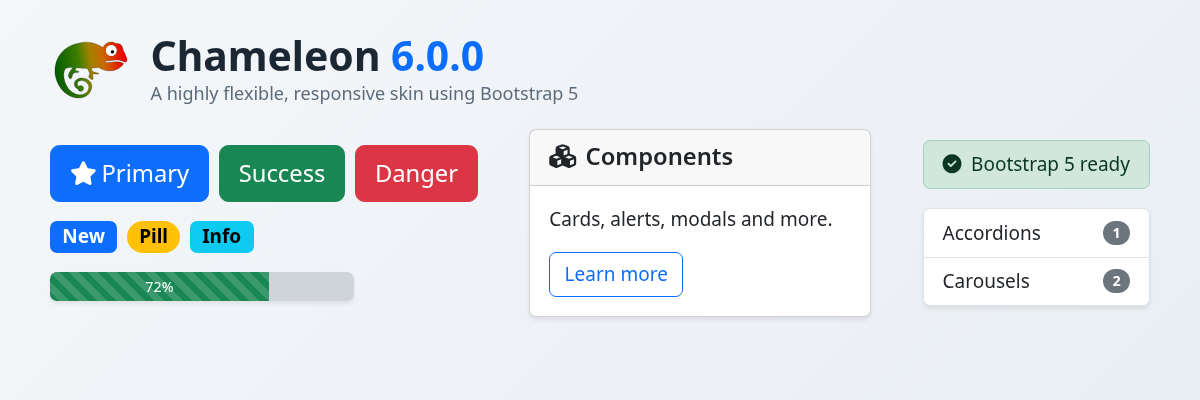
Chameleon 6 is out 🎉 The highly flexible #MediaWiki skin now builds on #Bootstrap 5. All Bootstrap 5 classes and utilities work in your wikitext and templates, and thanks to CSS variables, many customizations that used to need an SCSS recompile are now plain CSS edits. Also new: Font Awesome 6. And the companion BootstrapComponents extension got a version 6 with Bootstrap 5 support. Discover what's new: https://professional.wiki/en/news/chameleon-6-0-0-released #OpenSource #SelfHosted #FOSS #Wiki @mediawiki@wikis.world
11
0
8
0
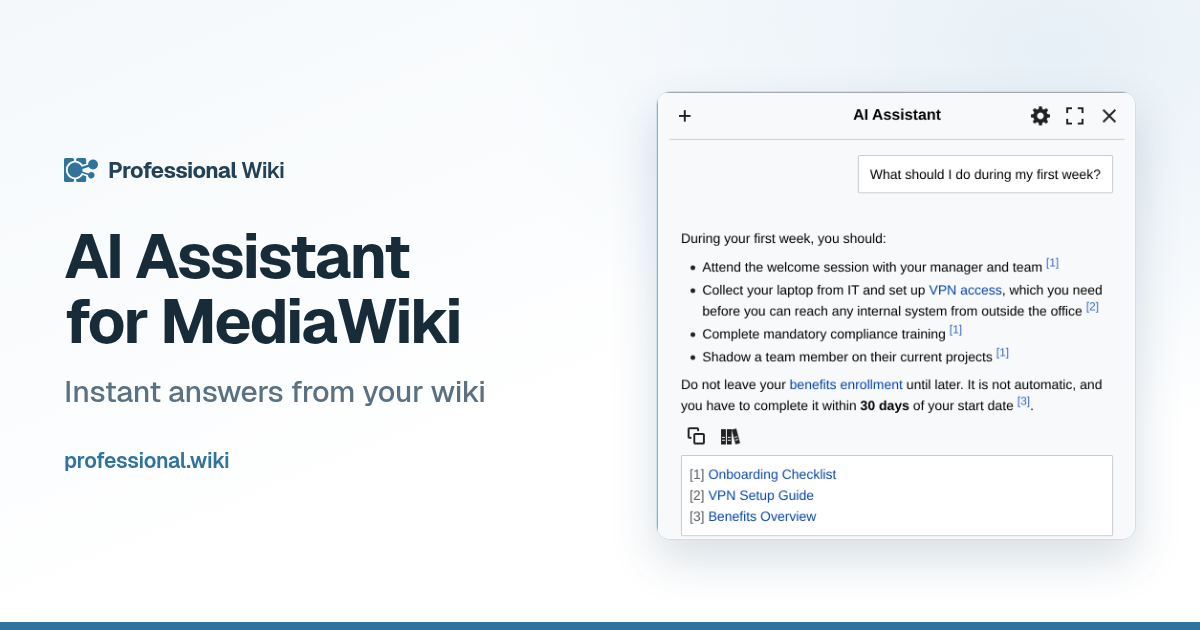
Instant answers from your wiki! Get answers grounded in your wiki content with source citations. The AI Assistant, our #MediaWiki chatbot, is permission-aware, answering only from pages you may read. It replies in your language, and you can customize it, use thinking mode, and resume previous conversations. You choose the AI provider: European providers and self-hosted models included. Learn more at https://professional.wiki/en/mediawiki-ai-assistant #Wiki #SelfHosted #KnowledgeManagement #DataSovereignty @mediawiki@wikis.world
3
0
5
0
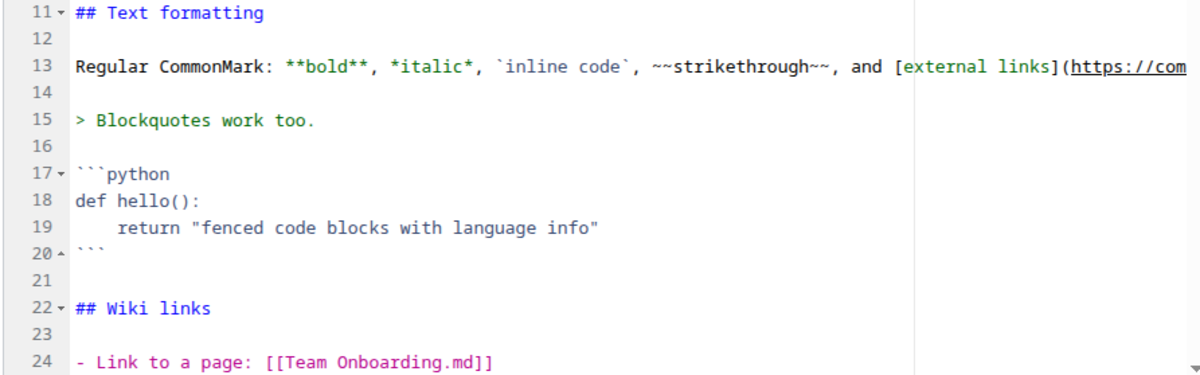
Native Markdown 1.2.0 is out! Fenced code blocks on #Markdown pages are now syntax highlighted server-side with Pygments, via the bundled SyntaxHighlight extension, exactly like wikitext ones. Also new: a maintenance script that bulk-converts existing pages to the Markdown content model, by .md title suffix or per namespace. Plus several thumbnail embed fixes. Docs: https://professional.wiki/en/extension/native-markdown #MediaWiki #OpenSource #SelfHosted #FOSS @mediawiki@wikis.world
4
1
6
0
Write your wiki pages in Markdown! We've released Native Markdown, a new #OpenSource #MediaWiki extension. The entire page is stored as Markdown rather than embedded within wikitext via a tag. You get functioning links, categories, search, table of contents, and even templates and parser functions. Add it to existing wikis without breaking anything: existing pages stay wikitext, and new pages default to #Markdown. Learn more at https://professional.wiki/en/news/native-markdown-released #SelfHosted #FOSS #wiki @mediawiki@wikis.world
1
0
2
0
#MediaWiki question: Is there a way of blocking anonymous (i.e. "not logged in") users from accessing the "Special:RecentChanges" page? There are 3,809 such requests in my latest Apache logs alone, and I doubt that ordinary users are making _that_ many requests.
3
2
1
0
I am happy with how this turned out. This is for a local startup business that wants an internal wiki (asked for mediawiki) and the ability to have more php-mariadb (mysql) custom web apps. Why a GUI for a server? Just in case it is needed. I am not going to be doing all the work and I want it as easy as possible to use. Linux Mint Debian Edition is a good fit, as then I can just treat it like a Debian server. That's similar to a lot of the other Linux consulting I do. I have a hard disk drive for versioned backup. Configured Time Shift to back up everything to it. Seems to work well, as I can browse the Timeshift snapshot in the file browser. I also set up MediaWiki for them. Learned a few things there. I had to set a root mariadb password. I customized it with a logo and also made some other adjustments to the MediaWiki LocalSettings.php file. #LinuxMint #Debian #Linux #MediaWiki #wiki
11
0
2
1
RE: https://mementomori.social/@juergen_hubert/115984654197203481 I am having a massive outage. Again. And the hosting provider doesn't allow the installation of additional tools that might help me get to the bottom of this. Now I am contemplating that I might host my own non-public #Apache server on my own desktop PC (running Windows 11) and run the #MediaWiki #PHP code there as a private instance for testing purposes. Whether I can replicate this problem there or not - either should be instructice. But since I am very much a newbie at this, can anyone point be to a good guide for this kind of thing?
Quoting
Still trying to figure out my website outages. To recap: I have two #MediaWiki wikis and one #WordPress site. And there seems to be _some_ background process which starts soon after 23:00 UTC (or 24:00 in France, where the servers are located) which puts such a strain on the website that I get a lot of "504" errors for a few hours. The exact duration is variable - sometimes it lasts for one or two hours, and sometimes it lasts way into the morning. But I cannot identify what causes it from the Apache logs - there is no clear, consistent trigger to be found there. Last time I asked customer support, they suggested that I check my plugins and background processes. But I don't know enough about website administration to know where to look. For what it's worth, my WordPress website uses the following plugins (all updated to the latest versions): ActivityPub Contact Form 7 Include Mastodon Feed JM Twitter Cards Leaflet Map MC4WP: Mailchimp for WordPress TablePress WP DSGVO Tools (GDPR) The site is here: https://sunkencastles.com/ The extensions on my wiki can be found here: https://wiki.sunkencastles.com/wiki/Special:Version Does _anyone_ have any idea what kinds of background processes on MediaWiki or WordPress might cause this kind of outage, and how I could check it? #FediHelp

Open quoted post
4
4
3
0
Still trying to figure out my website outages. To recap: I have two #MediaWiki wikis and one #WordPress site. And there seems to be _some_ background process which starts soon after 23:00 UTC (or 24:00 in France, where the servers are located) which puts such a strain on the website that I get a lot of "504" errors for a few hours. The exact duration is variable - sometimes it lasts for one or two hours, and sometimes it lasts way into the morning. But I cannot identify what causes it from the Apache logs - there is no clear, consistent trigger to be found there. Last time I asked customer support, they suggested that I check my plugins and background processes. But I don't know enough about website administration to know where to look. For what it's worth, my WordPress website uses the following plugins (all updated to the latest versions): ActivityPub Contact Form 7 Include Mastodon Feed JM Twitter Cards Leaflet Map MC4WP: Mailchimp for WordPress TablePress WP DSGVO Tools (GDPR) The site is here: https://sunkencastles.com/ The extensions on my wiki can be found here: https://wiki.sunkencastles.com/wiki/Special:Version Does _anyone_ have any idea what kinds of background processes on MediaWiki or WordPress might cause this kind of outage, and how I could check it? #FediHelp

6
3
4
2
#MediaWiki question: I want to use a screenshot of the interactive map embedded on the main page of the wiki as its social media preview card because that map is such an eye catcher. But I want to do so _without_ adding this screenshot to the actual page. The best I can think of is to cheat by adding this image with a scaled size of 1 pixel somewhere on the page so that it doesn't get noticed, but are there other options? https://wiki.sunkencastles.com/wiki/Main_Page
2
1
2
0
You've seen all posts