#macdev

14 posts · Last used 4d

#BuildInPublic #MacDev #IndieDev #SFSymbols #McKinley I went into the rabbit hole of SFSymbols with the McKinley app two weeks ago. A fantastic app. I forgot that I did not buy it so when the app notified me of the end of the two week trial (with the complete feature set of the app during this period). Easy decision . I bought it. Make it fun to create SF Symbols, instead of the horrer with the Apple app. Do your vector homework though.

4
0
3
0
I have released #McKinley 1.3. (McKinley is my Mac app for making and editing SF Symbols.) 1.3 is a huge update behind the scenes, mainly focussing on performance and correctness. It should be a _lot_ faster to work on symbols with complicated knockouts, many paths, etc. There’s one main new feature though, Minimum Internal Radius for strokes. https://mckinleysymbols.com Get McKinley for $60 (no subscription!) or try the fully functional demo. #buildinpublic #macdev #iosdev #sfsymbols #indiedev
2
0
2
0
Apple's help books are barely documented, so I wrote up how I build one out of the same Markdown that feeds my docs site. The trap that cost me an evening: hiutil's CoreSpotlight index only works once Spotlight has imported your help bundle, and that never happens for a debug build out of DerivedData. Use the legacy LSM format instead. pandoc and a ten-line Lua filter do the rest. https://www.lilback.com/mac-help-book-from-markdown/ #macOS #MacDev #Swift #Xcode #iOSDev
15
1
8
0
MCKINLEY IS OUT NOW! McKinley is a Mac app for making SF Symbols, combining a vector editor, tools that understand symbol weights, smart preview, an export that skips the tedium of converting strokes to paths, and automatic Xcode asset catalog sync. Normally $60 (one-off purchase), but there's a 15% launch week discount (to $51) until Sept 14th! https://mckinleysymbols.com And for those asking, it's named for McKinley Square in San Francisco. #SFSymbols #MacDev #iOSDev #Apple #Mac
172
18
112
10
Here's how Notefile 3.0 looks on macOS 15, compared to macOS 26 and macOS 27. I'm incredibly unhappy with what Liquid Glass is doing here. It's possible to remove the glass effect by setting isBordered to false on NSToolbarItem, but that doesn't work for certain controls like the search field. I don't think iOS offers any more control. These buttons are not the focus of the UI, but Liquid Glass makes them so. #MacDev #iOSDev
3
0
1
0
I finally updated my main laptop to macOS 26. I was hoping to just wait for 27, but, unfortunately work needs to be done. (Apple will only accept apps built with Xcode 26 now, and UIDesignRequiresCompatibility has *unique bugs* so it's time to support liquid glass.) Anyway here's Xcode 26.6 on macOS 26.5.2—the current release version of each. It's borderline unusable; I need to keep the inspector closed now unless I'm actively using it. #MacDev #iOSDev #Xcode
3
1
1
0

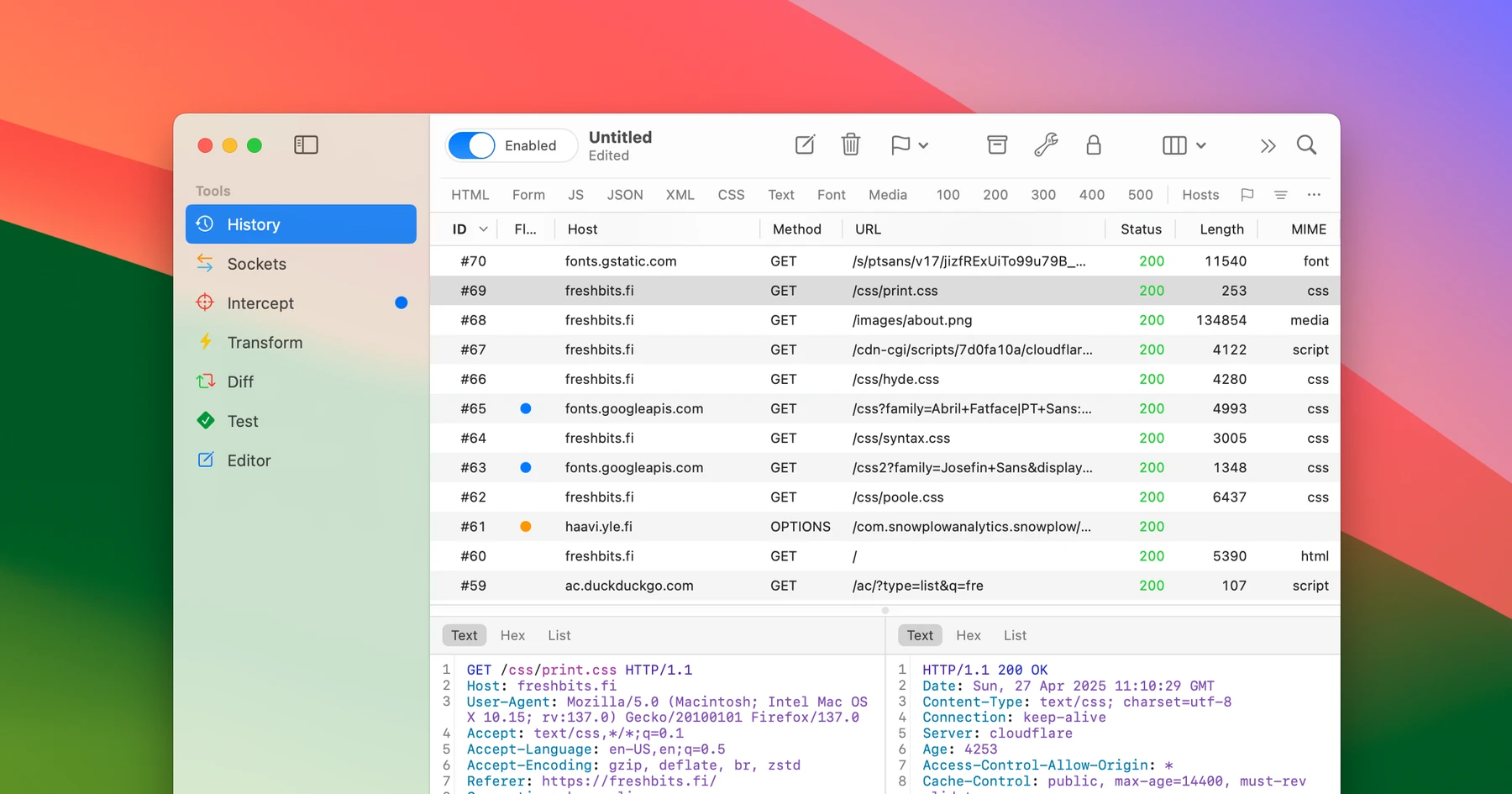
Proxygen v5.0 is now available for Mac and iOS. It is the biggest update yet, including:

  • New Test tool with scripting, test assertions and variable extraction.
  • Environment variables that are extracted from responses and inserted using {{var}} syntax.
  • Sitemap for quick filtering of message history.

The app now also has a lower price point and is 50% off for a limited time.

We are just getting started.

https://proxygen.app

#swiftlang #appkit #macdev #iosdev

15
2
7
0
You've seen all posts